Using Mistral.AI (optional exercise)#
If you have access to Mistral.AI, you can also use Bia-Bob together with Mistral models.
Just acquire an API Key and use a text-editor to edit the .env file in the current directory. Enter your API key like this:
MISTRAL_API_KEY="<your key>"
You can then initialize bob like this:
# load secret API key. You must unpack the contents of api_key.zip
# into the same folder before going ahead.
from dotenv import load_dotenv
load_dotenv(override=True)

import os
from bia_bob import bob
bob.initialize(endpoint='https://api.mistral.ai/v1',
               model='codestral-2508',
               vision_model='codestral-2508',
               api_key=os.environ.get('MISTRAL_API_KEY'))
Your prompts wwill then be sent to the Mistral server in France.
%%bob
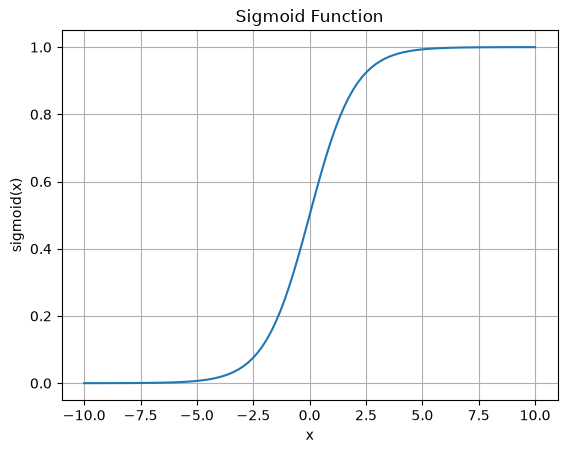
Write code for plotting a sigmoid
This notebook may contain text, code and images generated by artificial intelligence.
Used model: codestral-2508, vision model: codestral-2508, fast_model: None, endpoint: https://api.mistral.ai/v1, bia-bob version: 0.36.2.. Do not enter sensitive or private information and verify generated contents according to good scientific practice. Read more: https://github.com/haesleinhuepf/bia-bob#disclaimer
I will plot a sigmoid function using matplotlib.
import numpy as np
import matplotlib.pyplot as plt

def sigmoid(x):
    return 1 / (1 + np.exp(-x))

x = np.linspace(-10, 10, 100)
y = sigmoid(x)

plt.plot(x, y)
plt.title('Sigmoid Function')
plt.xlabel('x')
plt.ylabel('sigmoid(x)')
plt.grid(True)
plt.show()